
REVIEW · WORKSHOPS
Beginners Photography Course – Small Group Workshop
Stuck on Auto? London fixes that fast, with a small-group beginners photography workshop that teaches you how to use your own digital camera while you shoot iconic sights like Tower Bridge and the Tower of London. You start near London Bridge, learn settings with guided practice, then put it all to work on location.
What I like most is the teaching style: it’s practical, and it’s focused on real camera control, not vague photo talk. You’ll get small-group attention (max six) and short assignments that train your eye and your hands on ISO, shutter speed, and aperture, with help that matches your specific camera.
One consideration is simple: there’s no food or drinks included, so plan to manage your energy during the walking and shooting time, especially if you’re hungry before or after the session.
Key highlights worth planning around
- Max six people means your tutor can correct your settings one by one instead of rushing the group along.
- Teaching is geared to your exact camera model, not a generic lecture.
- Hands-on practice at three landmark locations keeps the learning tied to what you’re actually photographing.
- Assignments between stops help you remember how ISO, shutter speed, aperture, and focusing relate.
- Composition plus technical basics covers depth of field, framing, and how light changes your results.
- Bring your own camera, fully charged so you can start applying changes immediately.
Why this beginners photography course actually clicks in London
The hardest part about photography for many beginners is not the camera itself. It’s the confusion loop: you press buttons, nothing looks right, and then you end up back on Auto because it feels safer.
This workshop tries to break that loop fast. It runs like a guided shooting class with a tight feedback cycle. Instead of “learn theory at home,” you learn the settings on location, with a tutor who can point at what you’re seeing and what your camera is doing in response.
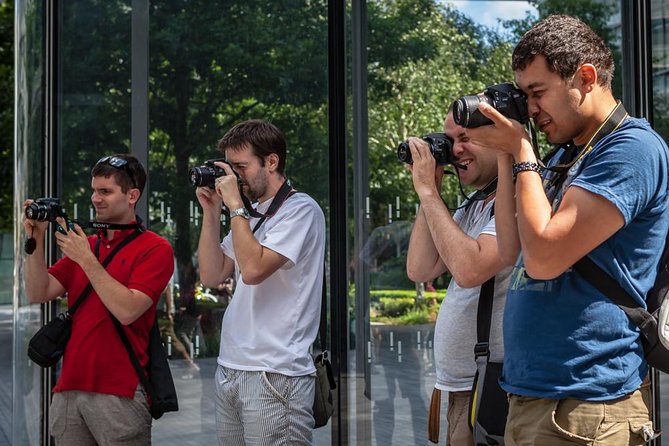
The other thing that matters is the group size. When the class is capped at six, you’re not just listening. You get time. That’s a big deal when you have a camera that uses different menu names or buttons than your friend’s camera.
If you want a London photo walk that improves your skills instead of just collecting sightseeing photos, this one has the right balance: landmarks for subject matter, and real technique for control.
You can also read our reviews of more photography tours in London
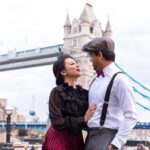
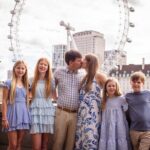
The London Bridge meeting point and the flow of the workshop
You meet at London Bridge Station Approach Rd (SE1 9SP). The session ends back at the meeting point, so you’re not dealing with “meet here, then figure it out later” logistics. It’s also described as near public transportation, which makes it easier to weave into a day in the city.
The timing is roughly four hours. That’s long enough to learn, practice, and get feedback, but short enough that you can realistically fit it into a trip without feeling like you lost a whole day.
The flow is built around three stops. Each one adds a new layer:
- Start with your camera setup and the big three settings.
- Then move into composition and light.
- Finish by applying those ideas to focusing and lens choices on a dramatic subject like the Tower of London across the water.
You’ll be walking between points, so wear comfortable shoes. And because food and drinks are not included, bring water if you like, and plan a snack for before or after.
Stop 1 at More London and City Hall: mastering ISO, aperture, and shutter speed
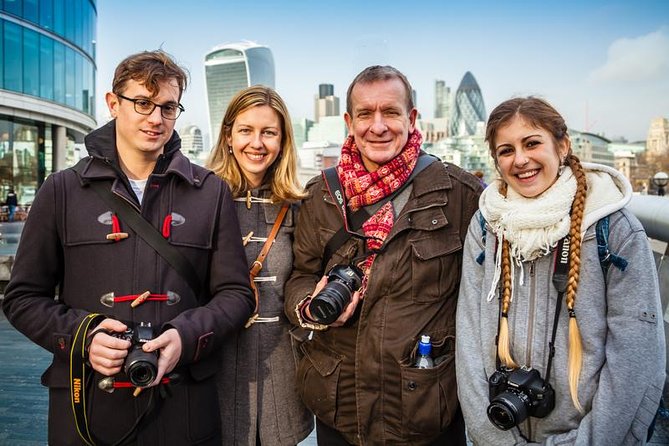
The first stop is More London and City Hall, and it’s the best place to start because you’re in an environment that encourages you to practice immediately. This is where you learn how to use your digital camera effectively and control the main functions and settings.
Here’s the key part: teaching is geared toward the camera you own. That means your tutor can work with how your model handles the basics, whether it uses buttons, menus, dials, or different naming conventions. In practice, this helps you avoid the common beginner frustration of copying settings that do not match your camera.
You’ll also get short assignments that focus on:
- ISO (how the camera handles light sensitivity and noise)
- Shutter speed (how motion and blur behave)
- Aperture (how focus and depth of field change)
This is where the workshop earns its value. You’re not just learning what those settings are in theory. You’re training yourself to see the cause-and-effect in the real world. When you can connect a setting to what you see, you stop guessing.
A nice bonus from the real-world feedback is that if your camera feels stuck, your tutor may help you sort it out. One learner described working through an issue that required a factory reset, which is a good reminder: sometimes the problem isn’t your photography. It’s your current settings state. Starting from a known baseline can be part of learning.
Stop 2 at Tower Bridge: composition, depth of field, and light changes
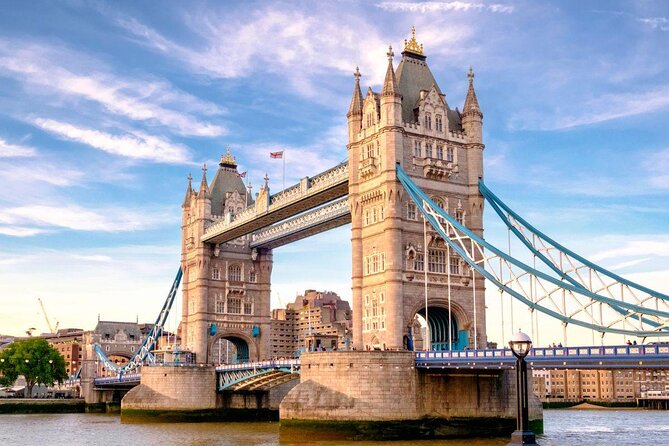
Next you head to Tower Bridge for a view across the river. The subject is photogenic, but the lesson is more important: you learn about composition, depth of field, and how light affects your photos.
This stop is where beginners often start to feel the connection between the technical settings and the results. For example, depth of field is not just a phrase. You’ll learn how it affects what looks sharp, what gets softened, and how your photo guides attention.
You’ll also practice framing and focus. The workshop mentions learning different focusing techniques, which matters because focusing is where many Auto-mode photos fail. Even if your camera is set correctly, if the focus point lands on the wrong area, the photo can look disappointing.
A practical way to use this stop is to treat it like a mini lab:
- Pick one composition you like.
- Adjust one setting at a time.
- Take a few frames quickly.
- Then compare how the image changes when you control focus and light.
The tutor stays close and helps you get the best from your camera, which is exactly what you want when you’re learning. You shouldn’t have to stop and consult your manual every two minutes.
Stop 3 at the Tower of London: lens choices, shutter speed, and better focusing
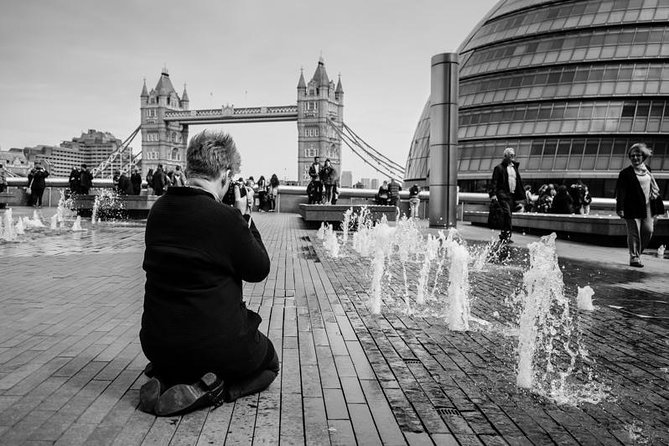
The final photo stop is the Tower of London, photographed from across the river again. That change of subject keeps things interesting, but the learning goals are clear: you’ll work on lens choices, shutter speed, composition, and using light effectively.
Across-the-water views are perfect for teaching shutter speed because you can find motion in reflections, traffic movement, or subtle changes in light. You’ll also see how shutter speed choices can either freeze the scene or let motion blur become part of the mood.
Lens choice is mentioned specifically. Even if you only have one kit lens, this is still valuable because you learn how to think about focal length and what it does to framing and perspective. If you have multiple lenses, this stop is where those differences start to matter.
This is also where the focus techniques you practiced earlier should start to make sense. By now, you’re not just pressing buttons. You’re setting up shots with intent, like a photographer instead of an app user.
Then the workshop wraps back toward the meeting point, so you keep your energy. You’re not stranded in one area while the class ends somewhere else.
More London tours and experiences for the shortlist



The “assignments” approach: why you’ll remember these settings
A lot of camera courses fail because they teach information, not recall. You leave with notes but no confidence.
This workshop builds recall through short assignments. It focuses your practice on the core variables:
- ISO
- shutter speed
- aperture
And as you move between stops, those variables connect to what you see: light shifts, subjects change, and focus needs adjusting. That repeated context makes the settings feel less like random numbers and more like tools you can choose.
From the teaching feedback, one theme pops up: learners stop feeling intimidated by terms like ISO and aperture. They go from mystery to muscle memory. The best sign is when you start to understand the inter-relationships, not just memorize what each setting does.
You also get encouragement to use your camera’s manual settings with confidence. One learner even said their manual might finally get read and mean something. That’s the ideal outcome: the camera becomes understandable, and you can apply it later on your own.
Price and value: does $336.07 make sense for four hours?
At about $336.07 per person for around four hours, this is not a bargain-bin free walking tour. But it’s also not priced like a private custom lesson.
So the value question comes down to two things the workshop is explicitly built around:
- Max six people means you’re buying time with an instructor, not just time with a crowd.
- Teaching is geared to your specific camera model, which saves you hours of trial and error.
If you’re currently stuck on Auto and Scene modes, the workshop aims to give you functional control quickly. In that scenario, $336.07 can feel like a smart shortcut, because it helps you get to results faster during your trip.
What I’d factor in when deciding is your starting point:
- If your camera settings confuse you, this course likely pays off quickly.
- If you already shoot manual confidently, you might find some parts basic. You’d probably get more out of an intermediate course.
What to bring so you get the most from the session
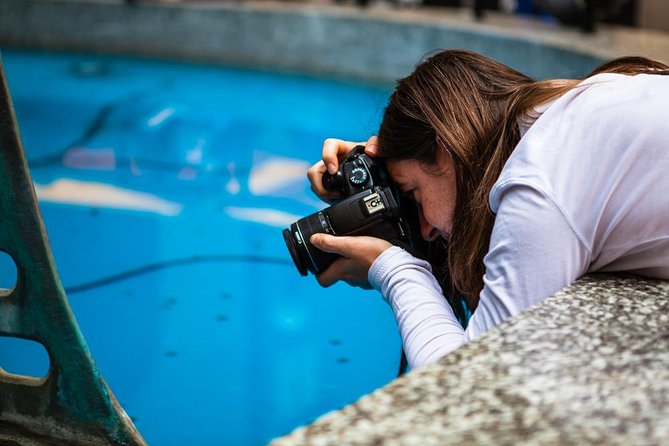
The workshop is clear: bring your own camera, a fully charged battery, and memory cards (a spare if you have one). This matters because the teaching is based on your device. The more ready you are to shoot and adjust, the less you will lose time fumbling.
Also bring your camera manual if it helps, even if you plan to stop relying on it. For beginners, having the manual nearby can reduce stress while you learn what’s where.
Wear comfortable walking shoes. You’ll be moving between locations and doing active composition work, not just standing for photos.
If you have mobility needs, the tour notes service animals allowed and it’s near public transportation. Specific route accessibility details aren’t described here, so if that matters, you might want to contact the operator before booking.
Who this workshop suits best
This is built for true beginners and also for people who feel blocked. If you have an intimidating DSLR or a camera with lots of menus and you’ve been living on Auto, this style of instruction is a strong match.
It’s also a good fit if you want to learn photography while seeing London at the same time, without turning the day into a long museum crawl.
A smaller group helps a lot if you have a different camera type than others in the class. The teaching being camera-specific means you’re less likely to feel left behind.
If you’re 16 or older, you can participate. The workshop is offered in English, and you’ll get a mobile ticket.
Should you book this Beginners Photography Course?
Book it if you want to stop guessing and start controlling your photos. The combination of small group size, camera-specific guidance, and hands-on practice at real London photo locations is exactly what moves the needle for beginners.
Skip it or consider something else if you already know how ISO, shutter speed, and aperture work together and you mainly want advanced techniques. This course is designed to get you functional and confident, not to push you into complex professional workflows.
Finally, plan around the fact that food is not included. Bring a game plan for snacks and water, and you’ll be ready to learn without distractions.
FAQ
How long is the Beginners Photography Course?
The duration is approximately 4 hours.
What is the group size for this workshop?
It has a maximum of 6 travelers.
Where do I meet for the session?
You meet at London Bridge Station Approach Rd, London SE1 9SP, UK, and the activity ends back at the meeting point.
Do I need to bring a camera?
Yes. Bring your own camera with a fully charged battery and memory cards (spare battery if you have one).
Is there a minimum age requirement?
The minimum age is 16 years.
Is food included in the price?
No. Food and drinks, including lunch, are not included.
More Workshops & Classes in London
More Photography Tours in London
More Tour Reviews in London


Not for you? Here's more nearby things to do in London we have reviewed
More Workshops worth a look.
 ★ 5.0Traditional English Scone Making and Tea WorkshopTickets from $45702 guest reviews
 ★ 4.8East End Street Art Tour and Spray Painting WorkshopTickets from $50297 guest reviews
★ 5.0London Traditional English Scone Making and Tea WorkshopTickets from $48271 guest reviews
★ 4.8East End Street Art Tour and Spray Painting WorkshopTickets from $50297 guest reviews
★ 5.0London Traditional English Scone Making and Tea WorkshopTickets from $48271 guest reviews
 ★ 4.9Half-Day Street Art Tour and WorkshopTickets from $60172 guest reviews
 ★ 4.7Traditional Scone Making WorkshopTickets from $80129 guest reviews
 ★ 5.0Street Art Tour and Spray Painting Workshop in LondonTickets from $5398 guest reviews
 ★ 5.0Street Art Walking Tour and Workshop in LondonTickets from $7258 guest reviews
3 Hour Chinese Dumpling Cooking Class for 2-6 people in LondonTickets from $11744 guest reviews
★ 5.0Street Art Walking Tour and Workshop in LondonTickets from $7258 guest reviews
3 Hour Chinese Dumpling Cooking Class for 2-6 people in LondonTickets from $11744 guest reviews
Continue by place or experience